


HIPAA compliant patient portal, built around your systems
Use Clarity Ventures to build a HIPAA compliant patient portal where patients book visits, read results, message their care team, request refills and pay bills, connected to your EHR.

What makes a patient portal HIPAA compliant
A patient portal is a secure, logged-in place where patients reach their own health information and do the tasks that used to need a phone call. HIPAA doesn't certify portals, and HHS doesn't recognize private HIPAA certifications. A portal supports compliance through the Security Rule's safeguards (access control, audit controls, integrity and transmission security), a business associate agreement with every vendor that handles your patients' data, and your own policies and risk analysis.
In the portal
- Appointment requests
- Reminders by text, email or app
- Test results
- Secure messaging
- Refill requests
- Intake and consent forms
- E-signature
- Bill pay
Under it
- Role-based access
- Two-factor authentication
- Encryption at rest and in transit
- Audit logging
- EHR integration
Scheduling patients actually use
Patients request in-person or telehealth appointments from the portal, and providers confirm, decline or reschedule them and set their available and blackout times. Both sides choose how reminders arrive: email, text, phone or app. Intake and prerequisite forms are completed before the visit.
Reminder emails and texts carry no health details. They send the patient back to the secure portal, where the details are.
Appointment request A-3318
- VISITTelehealth video, Tue 9:30
- PROVIDERConfirmed by provider 12
- INTAKEForms completed online
- REMINDERText, 24 hours before
- TEXT BODYLink to the portal only, no health details
Results, records and secure messages
Results are easy to find, sortable and downloadable, and providers can review a result before it's released to the patient. Patients message their care team inside the portal, with direct messages and automated notifications kept apart, and pick how they're alerted that something new is waiting.
HIPAA gives patients a right of access to their records, and HHS notes that requests can come through a web portal. A portal that shows records and takes requests makes that right easier to serve.

Refills, forms and e-signature
Patients request refills and providers approve them, setting expiration dates and refill counts per prescription. New-patient, consent and insurance forms are filled in online, so staff verify information instead of retyping it.
Signatures use Clarity's native e-signature or an integration with DocuSign or Dropbox Sign. Consent forms and opt-out requests are collected and stored in one organized place.
Refill request R-40217
- PATIENTPatient 88214
- REQUESTRefill, 1 of 3 remaining
- PROVIDERApproval requested by email alert
- SIGNATUREE-signed in the portal
- LOGAccess and approval recorded
Bills patients can pay online
Patients pay a balance in full or in installments after confirming who they are with a case or confirmation number and identifying details, and they get a notice after each payment.
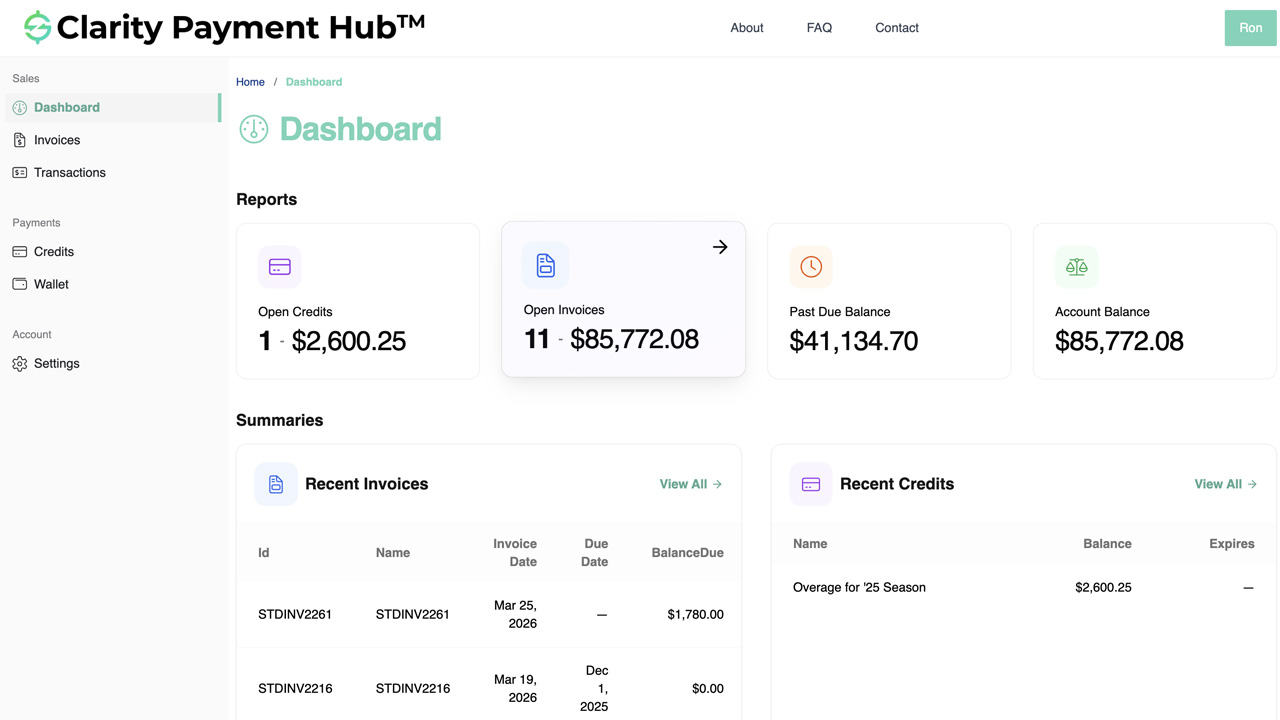
For balances left after insurance, Clarity Payment Hub gives patients and B2B accounts a self-service payment portal. Its PCI DSS-compliant tokenization keeps raw card numbers off your servers, and payments post back to NetSuite, Acumatica, Dynamics 365 Business Central or QuickBooks Enterprise.
Who handles what in a HIPAA compliant portal
No portal makes you compliant on its own. This is where each Security Rule safeguard and contract sits when Clarity builds the portal.
| Requirement | What it means for the portal | Who owns it |
|---|---|---|
| Access control | Unique logins, role-based permissions, two-factor authentication | Portal, configured with you |
| Audit controls | A log of who opened or changed patient data, and when | Portal records it; your team reviews it |
| Transmission security | Encryption in transit; encryption at rest for stored data | Portal and hosting |
| Business associate agreements | A signed agreement with each vendor that handles PHI for you | You and each vendor |
| Risk analysis, policies, training | Your documented assessment and workforce rules | Your organization |
Sources: HHS summaries of the HIPAA Security Rule and Privacy Rule, and the HHS FAQ on certification.
Plan your patient portal
Tell us which EHR and billing system you run and what patients call you about most. We'll show a portal built around those tasks.
Connected to the systems your staff already use
Clarity integrates with EHR and EMR systems including Epic, eClinicalWorks, Cerner and Allscripts, and with lab software, pharmacy software, CRMs and payment providers. Clarity Connect links the portal to ERP and billing systems, so a booking, a form or a payment reaches the system your staff work in.
If patients use connected wearables, Clarity can build an app that reads the device over Bluetooth and updates the patient and doctor portals. The portal runs on desktop and mobile browsers, and Clarity can build a matching mobile app.
Questions
What is a HIPAA compliant patient portal?
It's a secure, logged-in portal where patients view their health information, book visits, message providers, request refills and pay bills, built and run with HIPAA's safeguards in place. That means access control, audit logging, encryption and a business associate agreement with each vendor that handles the data.
Is there such a thing as a HIPAA certified patient portal?
No. HHS doesn't certify software or recognize private HIPAA certifications, and no rule requires one. Be wary of any vendor selling a certificate; ask instead how the portal meets each Security Rule safeguard and whether the vendor will sign a business associate agreement.
What software should I consider to make our patient portal HIPAA compliant?
Start with the portal platform, its hosting and every service that touches patient data, such as messaging, e-signature and payments. Each needs the safeguards above and a business associate agreement, and your team still owns the risk analysis, policies and training.
Can a patient portal take payments and connect to our EHR?
Yes. Clarity builds portals that integrate with EHRs such as Epic, eClinicalWorks, Cerner and Allscripts, and take payments through tokenized, PCI DSS-compliant processing. Payments can post back to your financial system through Clarity Connect.
How do we compare patient portal vendors?
Ask each vendor to demo your real tasks: booking, results release, refills, forms and bill pay. Then ask how it integrates with your EHR, how audit logs are kept and reviewed, and what it will sign. Clarity offers a free discovery session to map those requirements, which you can take to any vendor.
Do you build the portal from scratch or customize a platform?
Clarity starts from its HIPAA eCommerce platform, which already has the patient and doctor portals, messaging, e-signature and payments, then customizes workflows, branding and integrations for your practice.
Related resources
See the portal on your workflows
Bring your EHR, your billing system and your busiest patient requests. We'll show booking, results, refills and bill pay working together.
Book a demo