


vs Keyed
Terminals
Android
Integrated
Timeline
What counter sales look like in a Payment Hub shop
Commerce covers both the online eCommerce, as well as the brick and mortar locations. The difference is whether it's card present or not. The counter is the piece of your operation where the customer shows up in person. For a distributor, it's the parts counter and the will-call window. For a clinic, it's the front desk. For a school, it's the bookstore, cafeteria, or registration office. For a municipality, it's the permit window or utility office. The counter sees a different kind of transaction than online portal AR, and most "retail POS" software doesn't handle it well — because it treats every transaction as an anonymous shopper rather than a customer whose history and terms already live in your ERP.
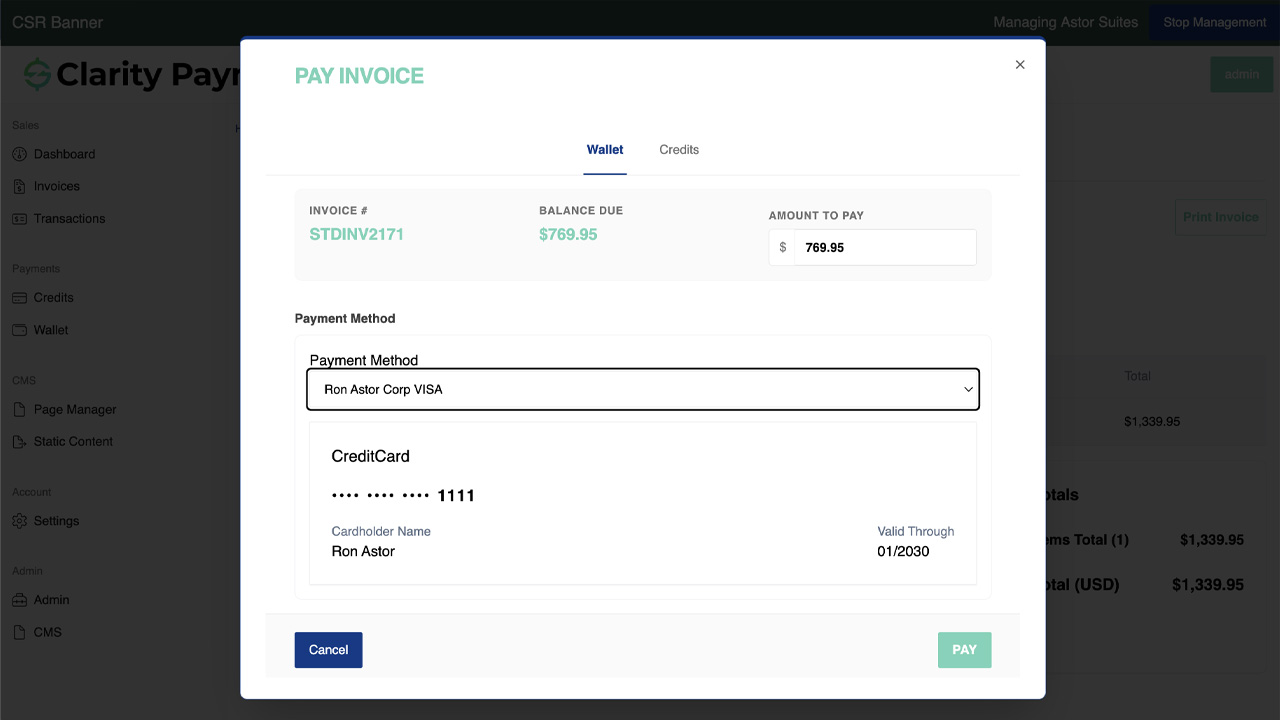
Clarity Payment Hub not only provides the user a portal, it also gives the counter what the rest of the organization already has: a view of the customer's ERP account, the ability to apply payment to open invoices, the option to charge to account on Net terms, and the card-present payment acceptance that gets the lower interchange tier. The counter experience feels like a POS but behaves like your ERP.
How Payment Hub powers the counter
So what does card present contain? Eight capabilities run the counter experience. Each one is Payment Hub doing work that would otherwise fall on a separate POS system, a staff-kept spreadsheet, or a next-morning reconciliation meeting.
Customer lookup at the counter
Staff search by name, phone, account number, PO, or email. The customer's ERP-sourced record loads instantly — open invoices, credits, saved methods, credit limit, terms, recent history. Counter sees what AR sees.
Certified card-present terminals
EMV chip, contactless tap, magstripe fallback on Verifone, Ingenico, PAX, and Castles hardware through whichever gateway you run. Payment Hub drives the terminal; staff doesn't manage two systems.
Tap to Pay on iPhone & Android
Where your gateway supports it (Stripe, Adyen, Square-family, and others), the counter staff's phone becomes the terminal — no hardware, no dongle. Useful for second-counter lines, outdoor service desks, and small branch counters.
Virtual Terminal for keyed entry
Phone-in orders, email orders, and card-not-present counter moments all key through the same Virtual Terminal interface — with the same customer lookup, same saved methods, same ERP posting as card-present transactions.
Tokenized saved methods for repeat customers
B2B repeat customers' saved cards and ACH tokens live at the gateway vault. Staff can charge a stored method by confirmation (not re-keying). Raw PAN never touches Payment Hub or your server.
Charge-on-account for Net-terms customers
For B2B walk-ins on Net 15 / 30 / 45, staff can post the counter sale to the account as a new invoice rather than collecting payment now. Invoice posts to the ERP immediately; customer walks out with a receipt showing charge-to-account and updated balance.
Receipt print, email, & SMS
Counter prints a physical receipt, emails one to the customer's address on file, or texts one — or any combination. Receipts include the sale detail, any applied payments, account balance updates, and the transaction reference that AR can trace to the ERP.
Real-time ERP posting
Sales, cash receipts, charge-on-account invoices, credit applications — every counter transaction writes to your ERP through Clarity Connect the moment the terminal authorizes. No end-of-day batch; no morning reconciliation meeting.
The counter-sales workflow — customer walks up to receipt printed
A concrete walk-through of what happens when a B2B customer shows up at the parts counter for a $240 purchase, also wanting to pay $500 on an outstanding invoice, and charge a $1,800 back-counter service order to their account. The whole thing fits in one counter visit with one receipt.
Customer identifies themselves
Customer gives their account number, company name, or phone to the counter. Staff types or scans it into Payment Hub and the customer's ERP record loads — open invoices ($1,240 total outstanding), saved payment methods (Visa ending 4421, ACH on file), credit limit, Net 30 terms, recent purchase history.
ERP lookup InstantStaff rings up the $240 parts sale
Counter enters the line items for the walk-in sale — part number, quantity, price. Payment Hub validates the customer's ERP credit limit (they're clear). Sale subtotal appears with tax rolled up from the customer's ship-to jurisdiction.
Line items Tax-awareCustomer also wants to pay $500 against open invoice
Counter brings up the $1,240 outstanding balance. Customer picks invoice #4208 ($800 invoice) and pays $500 against it. Payment Hub adds this as a second line in the counter transaction. Invoice #4208 will close to $300 remaining balance after posting.
Invoice payment PartialBack-counter service order charged to account
The service tech brings out a $1,800 charge for a back-shop repair. Customer wants to charge it to account on Net 30 (not pay at counter). Counter adds it to the transaction as a charge-on-account line. The new invoice will post to the ERP against the customer's account, subject to the Net 30 terms they're on.
Charge-on-account Net 30Counter totals and method selection
Payment Hub summarizes: $240 counter sale + $500 invoice payment = $740 due now; $1,800 charge-on-account to be invoiced separately. Staff selects the tokenized Visa on file for the $740 portion (or the customer taps their card on the terminal). Customer can override to ACH if preferred.
Mixed transaction Saved methodCard-present authorization runs
Terminal authorizes the $740 card transaction via EMV chip or contactless tap — qualifying for card-present interchange rates, lower than keyed. Gateway returns approval; Payment Hub records the transaction reference.
Card-present Lower interchangeERP posts three records — sale, receipt, account charge
Payment Hub writes three records to the ERP through Clarity Connect: a $240 counter-sale invoice paid immediately, a $500 cash receipt applied against invoice #4208 (closing it to $300), and a new $1,800 invoice charged to the customer's account on Net 30. Each with correct GL, customer account, and invoice reference.
Per-transaction posting Real-timeReceipt prints, emails, and the customer walks out
Counter prints a receipt showing all three transaction lines — sale, invoice payment, charge-on-account — plus the updated account balance and new open-invoice total. Same receipt emails to the customer's contact on file. Transaction complete; customer is out the door in under two minutes.
Multi-channel receipt Account balance updatedThe counter-sales scenarios Payment Hub handles without switching systems
Real counter traffic isn't all the same customer or the same transaction type. Here are the patterns Payment Hub handles at the counter — each one with the same ERP posting, the same receipt flow, and the same tokenized security model.
B2B walk-in, charge-to-account
Existing Net-30 customer, trade account
Customer doesn't want to pay at counter. Staff looks up the account, rings up the sale, posts it as a new invoice to the customer's account. Invoice joins their next regular AR cycle. No card authorization. No chase cycle — they're on Net 30.
B2B walk-in, counter-pay with saved card
Existing customer who prefers pay-at-counter
Customer has a Visa on file from prior counter visits. Staff rings up the sale, selects the tokenized saved method, and the terminal confirms (or customer re-authenticates with signature / PIN). No re-keying; no PAN exposure; card-present interchange.
Non-account consumer walk-in
One-time cash / card customer, no account
Staff rings up a cash sale under the generic "counter cash" customer. Customer taps their card on the terminal; Payment Hub takes the payment, optionally prompts for email / phone for receipt, and posts a one-time sale invoice to the ERP. No customer record created unless the cashier opts to add one.
Phone order — staff keyed entry
Customer calls in, staff keys MOTO
Customer calls the counter, gives their account number and order detail. Staff keys the sale in Virtual Terminal — same customer lookup, same invoice / charge-on-account options, same saved-method support. Card-not-present keyed interchange rates apply (higher than card-present but still posts correctly to ERP).
Will-call pickup, paid online first
Customer paid online, picking up at counter
Customer shows the pickup reference. Counter scans or keys it; Payment Hub confirms the invoice was already paid (in the ERP) and prints a pickup receipt. No second payment collection; no second ERP entry. Pickup workflow replaces "pay, then pickup."
Cash & check at the counter
Customer pays in cash or by check
Staff records the cash or check in Payment Hub (not processed through a gateway). The amount applies to the sale / invoices / charge-on-account as if it were a tokenized method. ERP posts a cash-receipt record with method = Cash or Check. Drawer balance tracking stays consistent with the ERP's cash GL.
Industries where the counter actually matters
Not every Clarity vertical has a real counter. Distribution does (parts counter, will-call), healthcare does (front desk, cashier), education does (bookstore, cafeteria, registration), government does (permit window, utility office). Subscription and professional services usually don't. Payment Hub applies the counter pattern where it fits the vertical.
B2B Distribution & Wholesale
The parts counter, will-call window, and branch counter are where this matters most. Trade customers walk up, accounts look up in the ERP, charge-to-account or counter-pay, Net terms honored, card-present interchange on the card portion.
- Parts counter & will-call window
- Charge-on-account for Net-terms B2B
- Multiple branches with centralized ERP posting
- Phone orders via Virtual Terminal
Manufacturing
Aftermarket parts counter and service-desk transactions — dealer commercial cards at the counter, service contracts invoiced to account, warranty-adjusted lines. Less transactional volume than distribution, but the workflow is the same.
- Aftermarket parts counter
- Service-desk billing
- Dealer commercial-card transactions
- Warranty-adjusted line items
Healthcare & Life Sciences
Front-desk check-in / check-out, co-pay collection, balance-of-care payment after services rendered. Patient account lookup from the practice-management system, HSA/FSA card acceptance, and saved-method support for recurring patients.
- Co-pay collection at check-in
- Balance-of-care at check-out
- HSA/FSA card acceptance
- Saved-method support for recurring patients
Nonprofit & Fundraising
Event ticket sales, silent-auction payment, merchandise and gift-shop sales, fundraiser drive-up counters. Tap to Pay on iPhone lets volunteer staff run counters without dedicated hardware — useful for one-off events.
- Event ticket & auction counter
- Merchandise & gift-shop sales
- Fundraiser drive-up or pop-up counter
- Tap to Pay on iPhone for volunteer staff
Education
Bookstores, cafeterias, registration counters, continuing-ed signups, activity fees, parking permits. Parent / student account lookup ties the sale to the existing SIS / ERP record. Volume is often event-spike driven (start of semester, registration week).
- Bookstore & cafeteria
- Registration counter
- Activity fees & parking
- Continuing-ed signup
Government & Public Sector
Permit counters, utility offices, citation windows, business-license counters, tax-and-fee windows. Citizen account lookup from the financials ERP, fee-pass-through where applicable, and CEDP Level 3 on commercial cards at the counter.
- Permit & license windows
- Utility-office counter payment
- Citation / fine windows
- Tax & fee counter
Professional Services & Agencies
Most professional-services firms don't have a counter in the literal sense. Where counter applies — a CPA firm collecting a walk-in client's deposit, or a real-estate office taking a deed-transfer fee — Tap to Pay on iPhone plus Virtual Terminal covers the pattern without dedicated hardware.
- Walk-in client deposits
- In-person transaction collection
- Tap to Pay on iPhone for mobility
- Virtual Terminal for phoned-in payment
Subscription, SaaS & Membership
Subscription businesses typically run fully digital; counter sales are rare. Where they happen — a gym or fitness-studio front desk collecting a walk-in class fee, or a co-working space selling a day pass — Tap to Pay on iPhone plus Virtual Terminal covers the counter pattern.
- Gym / studio front desk
- Co-working day-pass sales
- Event-day sign-up counters
- Occasional in-person transaction
Book a 30-minute walkthrough and we'll run the counter workflow against a sandbox of your own ERP — customer lookup, card-present authorization, charge-on-account, multi-line receipt, real-time posting. Live in 48 hours; your existing gateway and terminal stay.
ERP integration — the counter writes to the same ledger as everything else
The whole point of running counter sales through Payment Hub is that the counter transaction lands in your ERP alongside every other transaction, not in a separate POS-system silo that someone has to reconcile. Clarity Connect — Payment Hub's integration engine with 25+ ERP connectors — writes counter activity to your ERP in real time.
Inbound from ERP
Customer record, open invoices, credits, saved-method tokens, credit limit, terms, tax jurisdiction, ship-to, pricing — all pulled in real time as the counter looks up the customer.
Outbound to ERP
Counter-sale invoices, cash receipts, charge-on-account invoices, credit applications, tokenized-method references, cash & check records, and gift-card redemptions — written the moment the terminal authorizes.
25+ ERP connectors
NetSuite, Acumatica, Dynamics 365 BC / F&O, Dynamics GP / NAV, SAP S/4HANA Cloud and ECC, Sage 100 / 300 / Intacct, Oracle EBS, Epicor P21 / Kinetic / Eclipse / Eagle, Infor SX.e / CloudSuite, SYSPRO, Workday, Tyler, and more.
No ERP modifications
Clarity Connect uses only documented, supported integration points. No schema changes, no ERP-side custom code, no plugins to maintain. Branch-counter and head-office ERP stay in sync without operational overhead.
For multi-branch operations, Payment Hub supports per-branch cash-drawer reconciliation, per-branch tax jurisdiction handling, and per-branch routing in the ERP — so a branch in one state and a branch in another can both run the counter workflow while their sales post to the correct entity / warehouse / tax record in the ERP automatically.
Security, PCI scope, and counter-staff controls
Counter payment flows touch card-present hardware, staff-keyed entry, and tokenized saved methods. Payment Hub is built to push your deployment to the lightest compliance scope available while giving you the staff role controls the counter needs.
- P2PE-capable terminals. Certified terminals (Verifone, Ingenico, PAX, Castles) encrypt card data at the device with point-to-point encryption where supported — PAN never appears in clear text between the terminal and the gateway.
- Tokenization at the gateway vault. Saved payment methods used at the counter are tokenized at the gateway's PCI-scoped vault. Raw PAN and raw bank credentials never touch Payment Hub's infrastructure, your counter computer, or your servers.
- SAQ scope determined by terminal path. Card-present transactions through certified P2PE terminals typically qualify for SAQ B-IP (lighter than keyed-entry scope). Virtual Terminal transactions qualify for SAQ C-VT. Mixed deployments combine both appropriately.
- Staff role controls. Counter staff have configurable roles: a junior cashier can process counter sales up to a dollar threshold, a branch manager can process larger sales or override credit limits, a controller can void or refund. Audit trail records which staff member authorized each transaction.
- Cash-drawer reconciliation. Cash and check recorded at the counter ties into the ERP's cash-GL reconciliation with per-drawer, per-shift totals so the branch's end-of-day balance checks against the ERP.
- NACHA-compliant ACH authorization. Where a counter customer opts into saved ACH for future use, authorization is captured at the counter (electronic signature or verbal-and-audit-logged) with 2-year retention per NACHA.
- SOC 2 Type II. Clarity Ventures operates to SOC 2 Type II standards. Security, availability, confidentiality, and data-handling controls are independently audited on an ongoing basis.
- Outbound-only ERP agent. For on-premise ERPs, no inbound firewall ports, no VPN tunnel, no public ERP exposure.
Counter Sales & Retail FAQ
The questions operations, IT, and finance teams ask before rolling out Payment Hub at the counter.
Is Payment Hub a replacement for our POS system?
Not necessarily. Payment Hub is the payment-acceptance and ERP-integration layer at the counter — it runs on top of a certified card-present terminal (or Tap to Pay on iPhone / Android) and keyed-entry virtual terminal, and posts the transaction to your ERP in real time.
If you run a full-featured retail POS for inventory, line-item scanning, and merchandising (e.g., a POS dedicated to a retail store), you keep it. Payment Hub takes care of the payment-acceptance side and the ERP cash-application posting. Many distributors and branches run Payment Hub as their entire counter solution because the counter sales they handle are tied to customer accounts in the ERP rather than to a separate inventory front-end.
Can counter staff see a B2B customer's account when they walk up?
Yes. Counter staff log into the Payment Hub counter view, search the customer by name, phone, account number, or PO reference, and see the customer's ERP-sourced account detail: open invoices, available credits, saved payment methods (tokenized), recent payment history, credit limit, and any AR-side flags.
From there, staff can ring up a new sale, apply payment to open invoices, charge-to-account for Net-terms customers, or combine all three in a single transaction. The counter sees what the AR team sees, at the moment a customer is standing in front of them.
What payment methods work at the counter?
Card-present via EMV chip or contactless on certified terminals (Verifone, Ingenico, PAX, Castles) through whichever gateway you run. Tap to Pay on iPhone and Android where supported. Staff-keyed MOTO entry for phone-in / email-in orders. Saved tokenized card or ACH on file for repeat customers. Cash and check — recorded in Payment Hub for ERP posting, not processed through the gateway. Gift cards and store credit where the gateway supports them.
The counter experience uses the right method for each transaction — staff doesn't have to juggle multiple systems to get cash, card, and charge-on-account right.
Does it support charge-on-account for Net-terms customers?
Yes. When a B2B customer on Net 30 walks up to the counter, staff can ring up the sale and apply it to the account as a new invoice rather than requiring payment at the counter. The invoice posts to the ERP against the customer's account immediately; the customer receives a receipt showing the charge-to-account and the updated balance.
At the same transaction, staff can also accept payment toward prior open invoices — so a customer can pay two invoices AND charge a new order in one counter visit, with all three posting to the ERP as separate correct records.
Do counter-present card transactions get lower rates than keyed?
Yes. Card-present transactions (EMV chip, contactless tap, and Tap to Pay on iPhone / Android) qualify for lower interchange tiers than keyed or card-not-present transactions. The delta is typically 0.3–0.7% per transaction.
Payment Hub routes counter transactions through the certified-terminal flow so your counter gets card-present rates, while phone-in MOTO transactions from the same staff key through the virtual terminal at keyed rates. You don't pay keyed rates on card-present transactions because someone configured the wrong terminal path.
How do counter transactions post to our ERP?
In real time, the moment the terminal authorizes. Payment Hub writes the cash-receipt record back to your ERP through Clarity Connect — against the correct customer, with the correct invoice application (if applied to existing balance) or as a new invoice (if charge-to-account), and in the correct GL account.
No batch-at-end-of-day; no CSV import. If your counter issues a receipt before the customer leaves, your ERP has the receipt recorded by then. Month-end cash-drawer reconciliation becomes a near-automatic check rather than a half-day of AR work.
What terminals does Payment Hub work with?
The specific certified-terminal list depends on your gateway. Across the Payment Hub gateway library, 150+ certified devices span Verifone (VX520, P400, P630, Carbon line), Ingenico (iPP320, iCT250, Lane/3000/5000/7000/8000, Move/5000), PAX (A920, A80, SP30), and Castles (VEGA3000, Saturn 1000).
Tap to Pay on iPhone is supported through Stripe, Adyen, and Square-family integrations; Tap to Pay on Android through partner acquirers. Payment Hub talks to whichever terminal your gateway supports without locking you to specific hardware.
Can we use Payment Hub at multiple branch locations?
Yes. Multi-branch operations run one Payment Hub configuration with per-branch settings: branch-specific tax jurisdictions, branch-specific warehouse / entity codes in the ERP posting, per-branch cash-drawer reconciliation, per-branch staff roles. A customer who walks into one branch is looked up against the central ERP account, so their history and terms are visible regardless of which branch serves them.
Per-transaction ERP posting routes to the correct branch / entity automatically based on where the transaction originated — so the head-office ERP sees clean branch-level revenue and cash-drawer data without manual reconciliation.
How does cash and check tracking work if it doesn't go through the gateway?
Cash and check received at the counter is recorded in Payment Hub with method = Cash or Check. The amount applies to the sale / invoice / charge-on-account exactly as if it were a processed method; the ERP cash-receipt record reflects method = Cash or Check against the correct customer / invoice.
For cash-drawer reconciliation, Payment Hub tracks expected drawer balance against recorded cash transactions so end-of-day counts reconcile against the ERP cash GL without manual journal entries. Physical cash management (deposit bags, bank runs) is still operational work, but the accounting records stay in sync.
Does Payment Hub handle refunds and voids at the counter?
Yes. Refunds and voids are role-controlled — typically branch manager or controller level. Staff initiates the refund, Payment Hub confirms the original transaction, the terminal processes the refund (card-present refund goes back to the original card), and the ERP posts the reversal record. Audit trail captures the authorizing staff member, the reason code, and the reference to the original transaction.
What if a customer doesn't want a receipt or is a non-account walk-in?
Receipts are optional. Customer can decline print, email, and SMS — the transaction still posts to the ERP with a transaction reference the customer can request later if needed. For non-account walk-ins (one-time consumer customers), Payment Hub posts the sale under a generic "counter cash" customer record in the ERP, or optionally prompts staff to create a new customer record if the customer volunteers contact info.
How long does implementation take?
A typical Payment Hub counter-sales + ERP go-live takes 48 hours once Clarity receives ERP sandbox credentials, gateway credentials, and confirmed certified-terminal models. For deployments that include existing terminal hardware (keeping Verifone / Ingenico / PAX units that are already on the merchant account), no hardware replacement is needed — Payment Hub drives the existing terminals.
Your existing gateway, merchant account, and negotiated rates stay intact. Implementation is a flat subscription with the ERP integration included.